 Kaylix Player
Turn on the sports guide
The Kaylix Player sports guide shows today's and this week's football matches, with live scores. Fixtures and scores come from football-data.org, a free service. To turn it on, you create your free key and paste it into the app. It takes about three minutes.
This is optional. Without a key the Sports tab is not shown and the rest of the app works normally. Your key stays on your device.
1. Create your free account
Open football-data.org sign-up
- Enter your first name and your email address.
- Leave the “Choose ur weapon” list as it is: it does not matter for you.
- Tick “I accept the terms and conditions”, then click Create account.
There is nothing else to fill in. The free offer (“Free Tier”) is enough.
2. Get your key
football-data.org immediately sends you an email containing your key (“API token”): 32 letters and digits. Copy it.
No email after a few minutes? Check your spam folder. On the sign-up page, the “Forgot your token? Resend it” link sends it again.
3. Paste the key into Kaylix Player
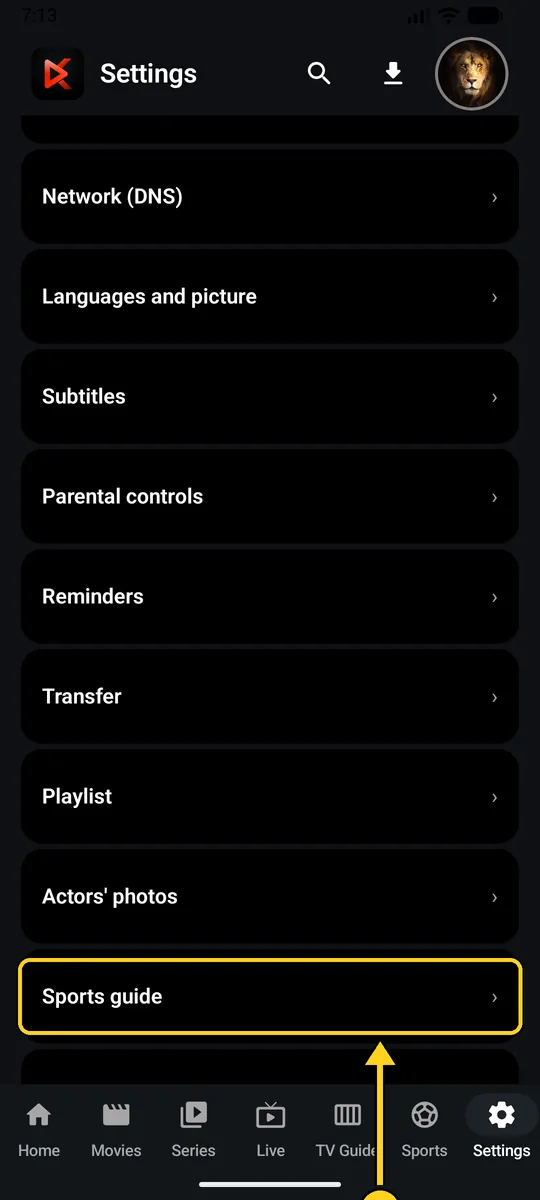
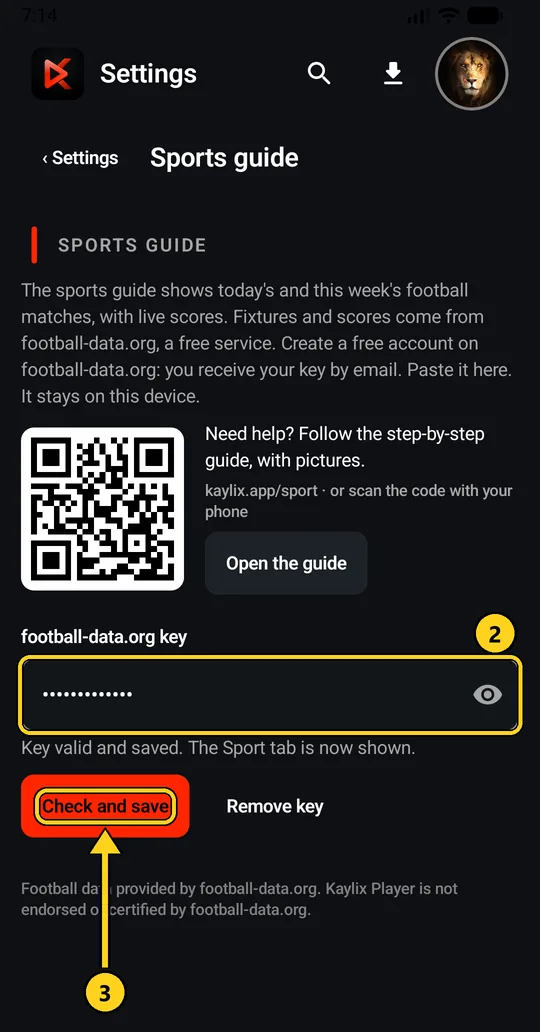
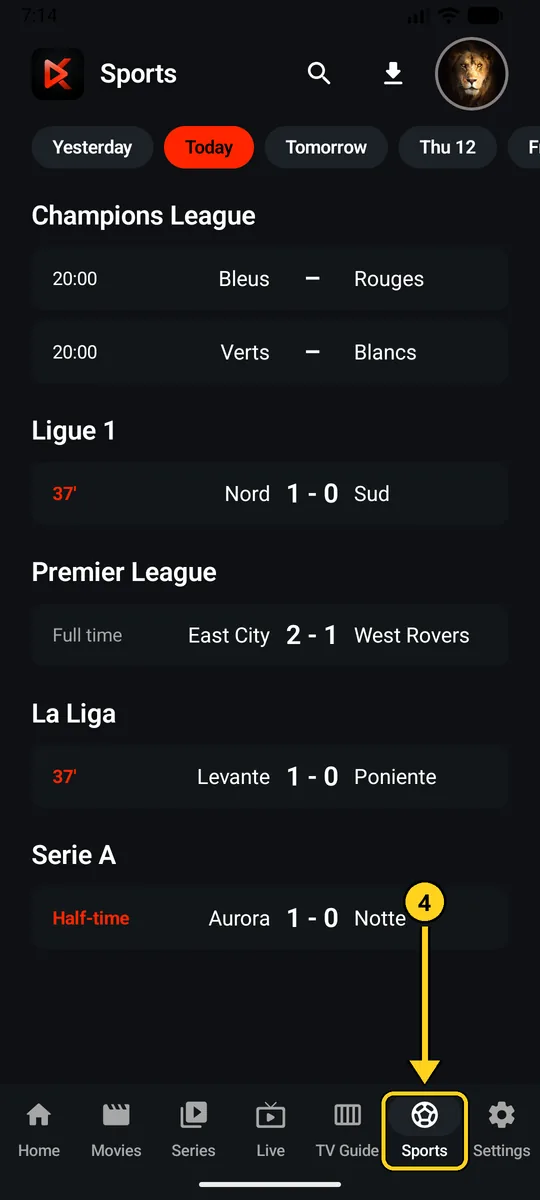
On a TV, typing the key with the remote takes a while. Add it on your phone first, then send your settings to the TV with a code (Settings › Transfer): the key goes with them.
What you find in the Sports tab
- Matches from yesterday, today and the next six days: Champions League, Ligue 1, Premier League, La Liga, Serie A, Bundesliga, Liga Portugal, Eredivisie, Championship, Brasileirão, World Cup and Euro.
- Live scores, updated every minute during matches.
- A search by team.
A problem?
- “This key does not work”: copy it again from the email, with no space at the start or the end.
- “Unable to load the matches”: check your Internet connection. The free offer limits the number of requests per minute: wait a minute and try again.
- To remove it: Settings › Sports guide › “Remove key”. The Sports tab disappears.
Football data provided by football-data.org. Kaylix Player is not endorsed or certified by football-data.org. Kaylix Player does not provide any channel.