 Kaylix Player
Show actors' photos with TMDb
Kaylix Player can show actors' photos, their filmographies, the weekly top titles and find trailers. This information comes from TMDb (The Movie Database), a free film database. To turn it on, you create your own free TMDb key and paste it into the app. It takes about five minutes.
This is optional. Without a key the app works normally: only these extras are not shown. Your key stays on your device.
1. Create a free TMDb account
Open the TMDb sign-up page, choose a username and a password, and enter your email address.
TMDb sends you an email: click the link it contains to confirm your account, then log in.
2. Request your key
Once logged in, open the “API” page of your settings:
- Click the link to request an API key.
- Choose personal use (“Developer”), then accept TMDb's terms.
- Fill in the short form: state personal use, any name you like, and your details.
- Submit: your key appears on that same page.
3. Copy the key
The API page shows two values. Either one works in Kaylix Player:
- API Key: about thirty letters and digits. It is the shortest to copy.
- API Read Access Token: a much longer value.
4. Paste the key into Kaylix Player
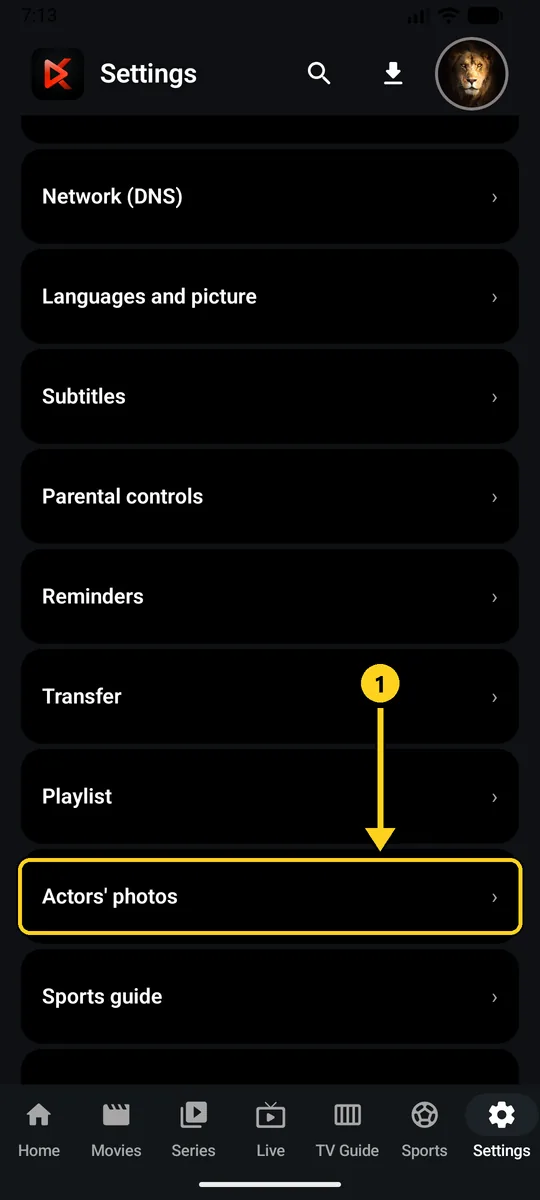
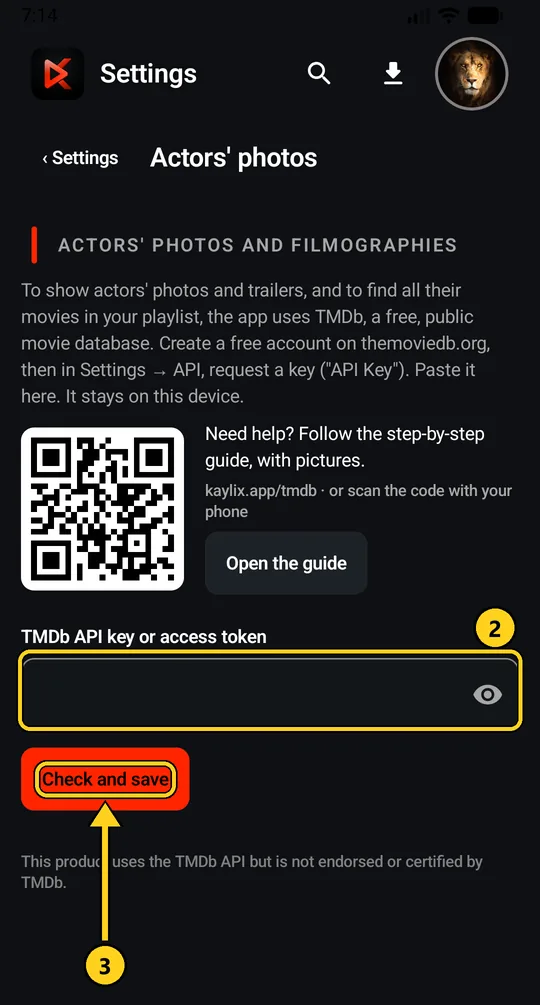
The app checks the key and shows “Key valid, saved”. Actors' photos then appear on film and series pages.
On a TV, typing the key with the remote takes a while. Add it on your phone first, then send your settings to the TV with a code (Settings › Transfer).
A problem?
- “This key doesn't work”: check that no character is missing and that there is no space at the start or the end.
- You just created the key: wait a minute, then try again.
- To remove it: on the same screen, tap “Remove key”.
This product uses the TMDb API but is not endorsed or certified by TMDb. Use of TMDb is subject to TMDb's terms.